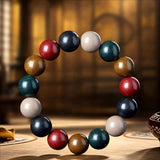


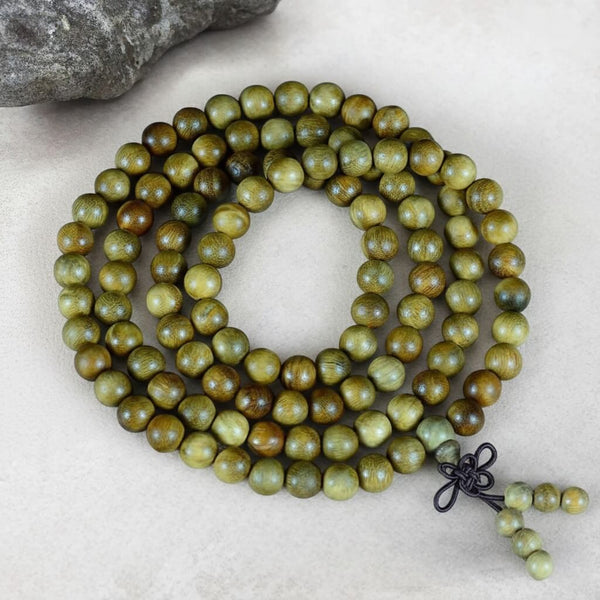
Bracelet option labels may describe a bead, a finished strand, or the wrist it is intended to fit. Start by identifying the exact option selected on the product page; read only the measurements attached to that choice. A count-and-diameter label gives bead details, while a wrist range gives fit guidance. If the finished length or wrist range you need is missing, ask Kenlina about that exact option before ordering.
Last updated: October 11, 2026.

What does each measurement describe?
- Bead count is the number of beads named in one option.
- Bead diameter, usually in millimeters (mm), is the stated width of one bead. It can help you picture scale, but it does not identify wrist fit.
- Wrist circumference, usually in centimeters (cm), is the wearer's measurement or the range stated for a wrist-fit option.
- Finished circumference or usable length describes the assembled piece. Look for this product-specific measurement when the option only lists bead details.
For how bead width can change the look and feel of a bracelet, see Kenlina's bead-size comfort guide. This page focuses on reading the option you are buying.
Can bead count × diameter estimate strand length?
It gives a rough sum of the labeled bead widths. For an illustrative example, 40 beads at 8 mm each add up to 320 mm, or 32 cm, before bead shape, spaces and construction are considered. Compare that sum with your wrist measurement to decide what to ask: a sum near one wrist circumference raises a single-wrap question; a sum near twice it raises a two-wrap question. Neither comparison confirms fit. Use a measured finished length and the intended wearing format for that decision.

Is the page showing alternatives or a combination?
In a single selector, each line is an alternative. If one line gives bead count and diameter while another gives a wrist range, those details belong to different choices. Do not attach the second line's range to the first line's beads.
With two selector fields, such as design and wrist range, the selected values work together to identify one offer. A design name still does not supply an unstated bead count or diameter. Check the current fields on the Auspicious Dawn bracelet or Five Elements bracelet rather than relying on an older example label.
What can the label tell you at a glance?
These are illustrative label types, not specifications for a Kenlina product. The selected product page supplies the current wording and any verified fit details.
| Example label type | What it tells you | What to check next |
|---|---|---|
40 beads × 8 mm |
Bead count and stated diameter. | The exact option's measured finished length or supported wrist range if you want wrist wear. |
Wrist 16–18 cm |
A stated wrist range. | Your measured wrist and any bead detail that matters to you. |
Design A + Wrist 16–18 cm
|
Two selected fields identify one design-and-range combination. | Confirm both values and the current offer before checkout. |

How do you choose at checkout?
- Record the exact product and selection. Copy the selected label from a single list, or record both fields if the page asks you to choose two.
- Compare like with like. Use the wrist-measurement guide to get your wrist number, then compare it with the range stated for that exact option. If you need a finished length or fit detail that is missing, email help@kenlina.com with the product name and selected label so Kenlina can check it.
- Check the selected offer before paying. Confirm its current image, price, availability and any dimensions you needed on the product page. Details from a neighboring option do not describe yours.
Use Find Your Fit to compare verified wrist options, then return to the exact product selector to confirm the choice.